Case Study: Endangered Languages Project
Role: UX Lead | Teammates: Designer, Developer, UX Director and Dev Director Oversight | Tools used: Figma
Studio: Constructive Studio | Client: Endangered Languages Project
Background
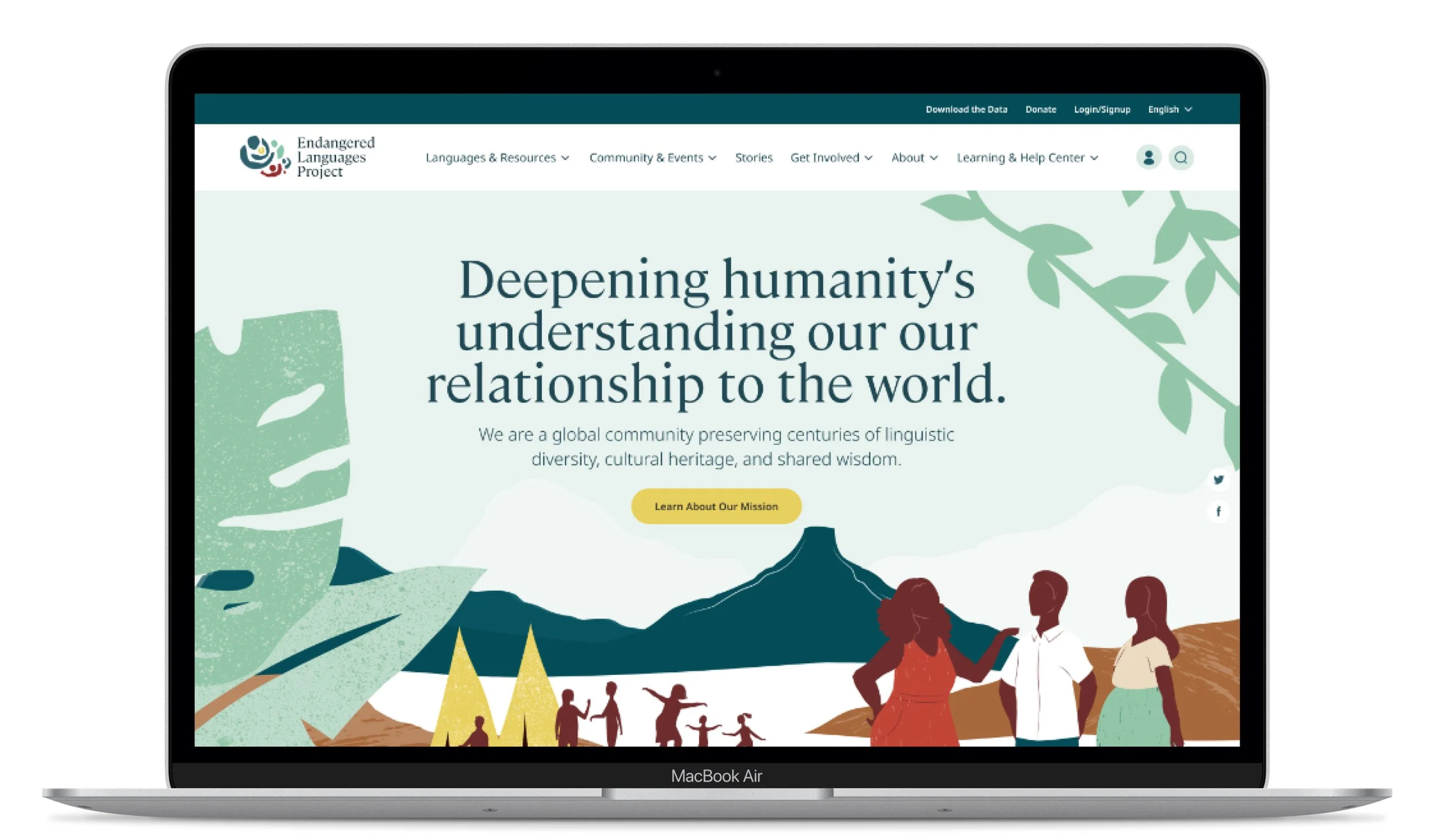
The Endangered Language Project’s (ELP) mission is to foster a collaborative online space where the speakers/signers, learners, advocates, teachers, and allies of the world’s endangered languages can gather and support each other’s work. ELP is a place where all people can come together in community to share information, stories, resources, and support for the world’s languages.
After ELP parted ways with another agency, I worked with them to pick up and expand upon where the other agency left off and create a platform that helps people form networks and share research to sustain language diversity worldwide. They hoped to create a refreshed experience from their old website and enhance the space they have created for champions of language preservation.
This project was especially important for me because people in my family speak a language that is not widely spoken and may one day become endangered.
Objectives
Evaluate and adjust initial wireframes produced by the former agency.
Identify a platform that meets all of the product’s requirements for the project.
Create a design system that aligns with ELP’s research and language classifications.
Develop a new taxonomy system and migrate old content into new architecture.
Making Sense of It All
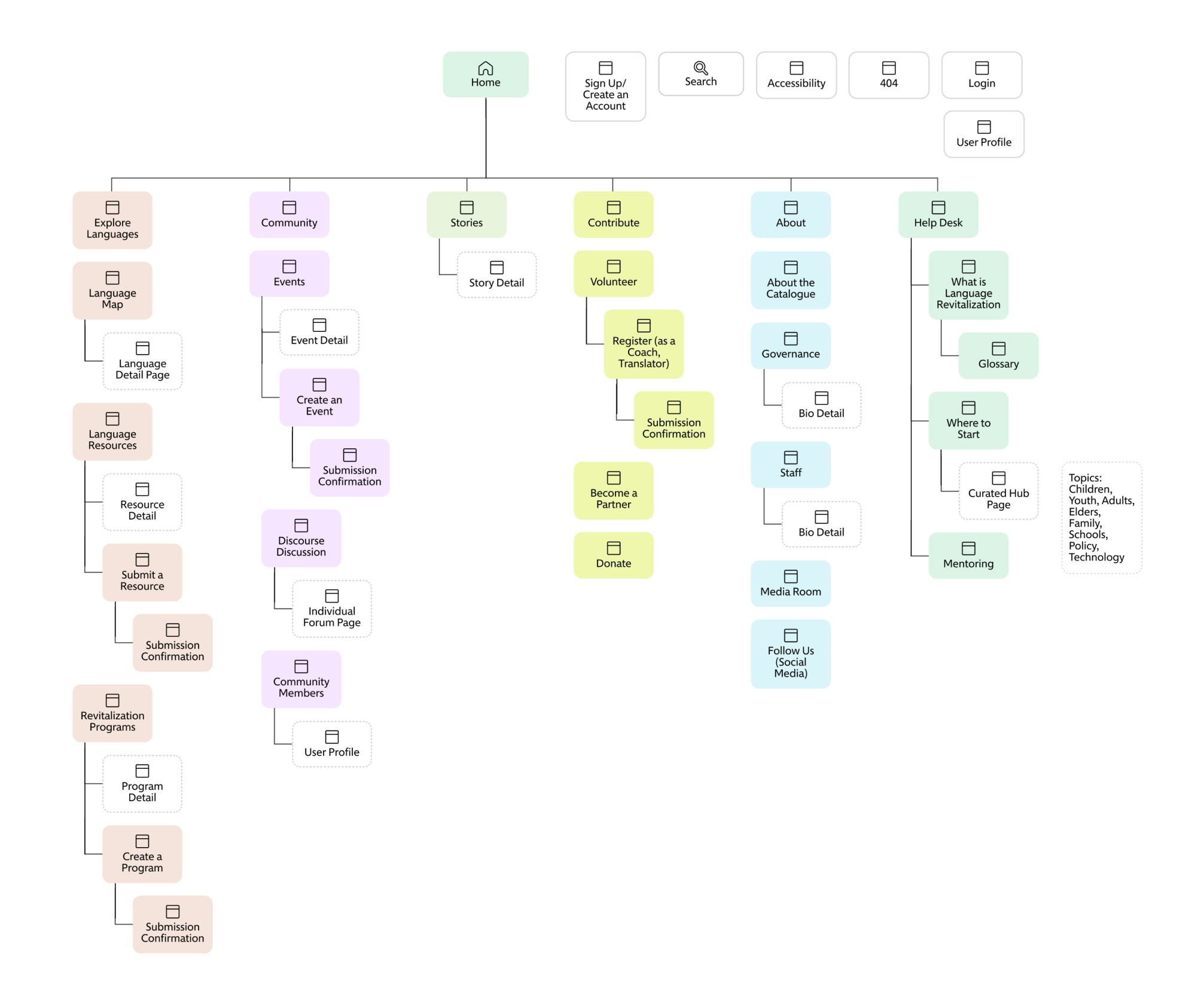
When I started working on ELP, I reviewed the files that we inherited from the previous agency and noticed that there was no documentation on the proposed information architecture. Given the complex nature of the content and how languages are classified by ELP, I created a sitemap based on the existing wireframes and then proposed changes that would better address users’ needs.
Documentation is super important for developers and this sitemap helped everyone on the team understand the general structure of the site.
The sitemap helped me to identify to main structures of content on the site. It also helped me to identify the key categories and taxonomies that would be used throughout the site for classification and filtering.
I worked to elevate key content and then conducted user testing on the wires to identify areas of improvement.
Expanding Wireframes
I inherited an extensive set of wireframes, but key functions of the site were left open-ended by the previous agency. I had to work with ELP to determine what their stakeholders needed and design additional wireframes to document the needs.
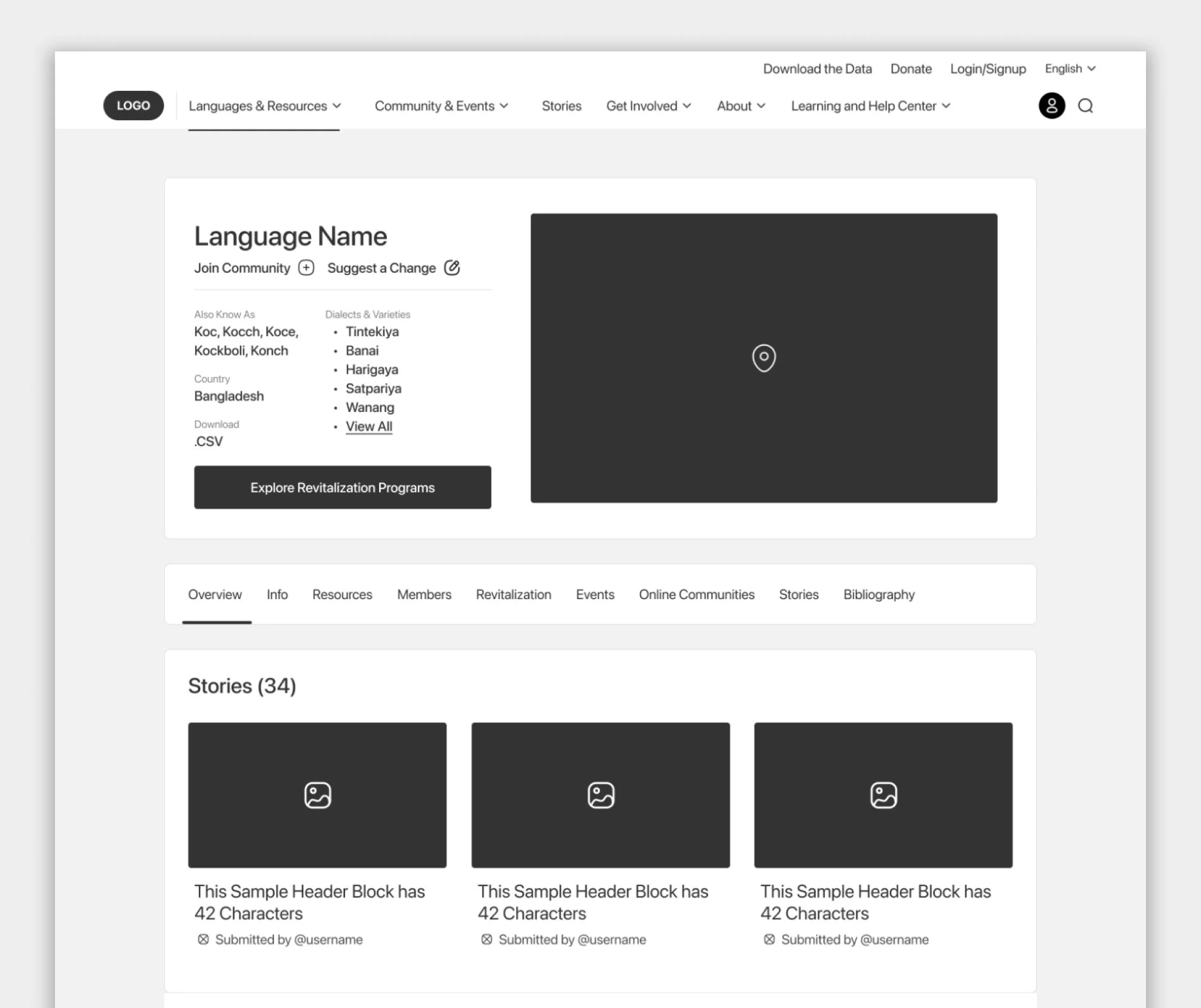
All of the requirements for the language profile pages were not identified in the initial designs from the previous agency. I worked with ELP to identify the key requirements for the profile pages.
I identify a series of points on the site where users would need to be able to engage and submit documents to the website and designed out those experiences for documentation.
I determined with the dev team that OpenSocial would be the best platform to build the site on based on both ELP’s requirements and users’ needs. OpenSocial would allow members to have a profile page and communicate with other members and the tabbed structure worked best for language profile pages.
Key Features
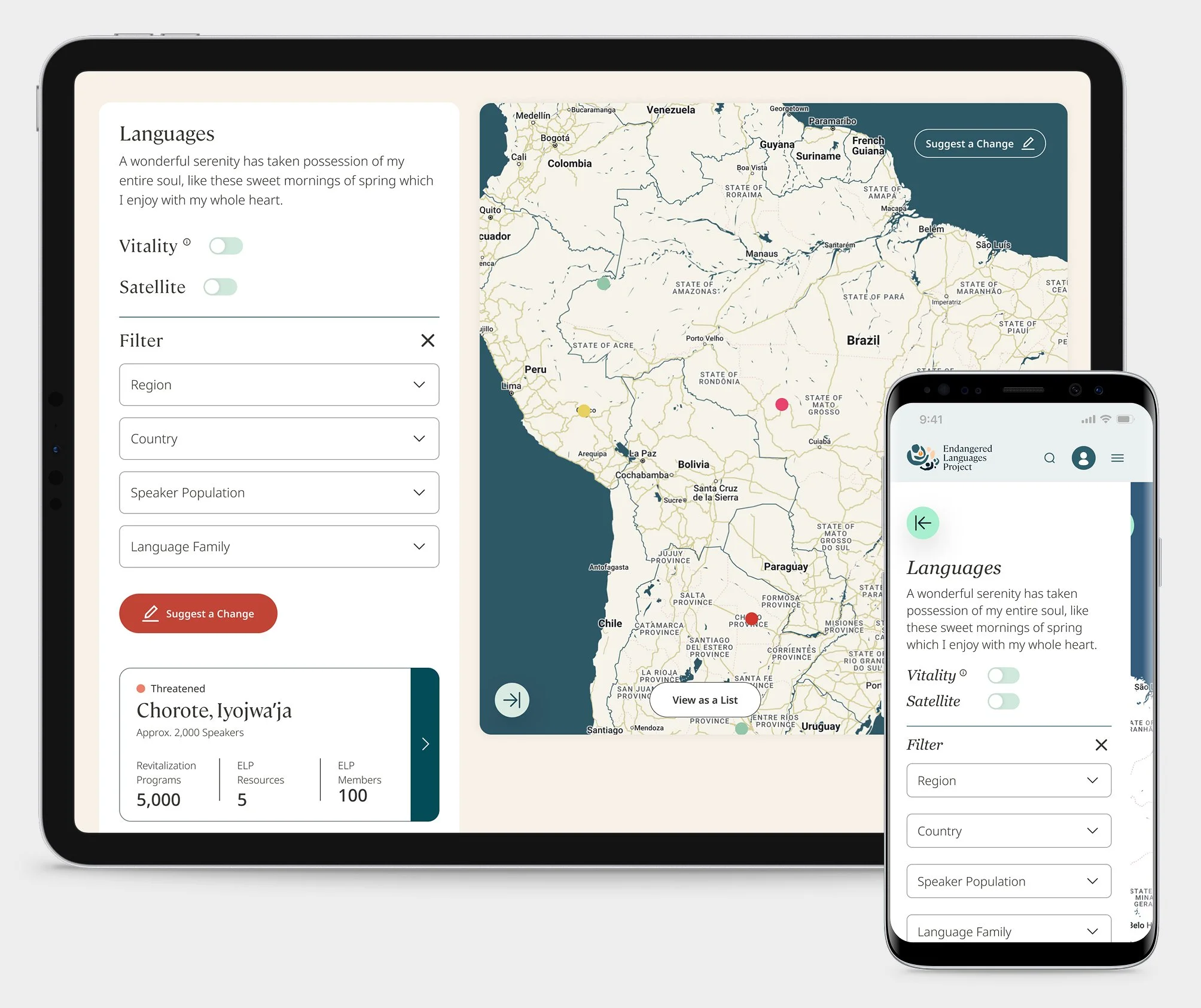
Interactive Languages Map
I created a structure for ELP’s Languages Map and refined the mobile and tablet experiences, which were left open by the previous agency. Using clean UI, I was able to create an interface that worked both on small and large screens.
There were several filters that users needed to be able to filter by. These had to work both on mobile and on desktop.
I provided users with both a list view and a card view with a map so that they could have different options for searching for languages.
I worked with a brand/UI designer to devise a color-coding system for language categories and taxonomies.
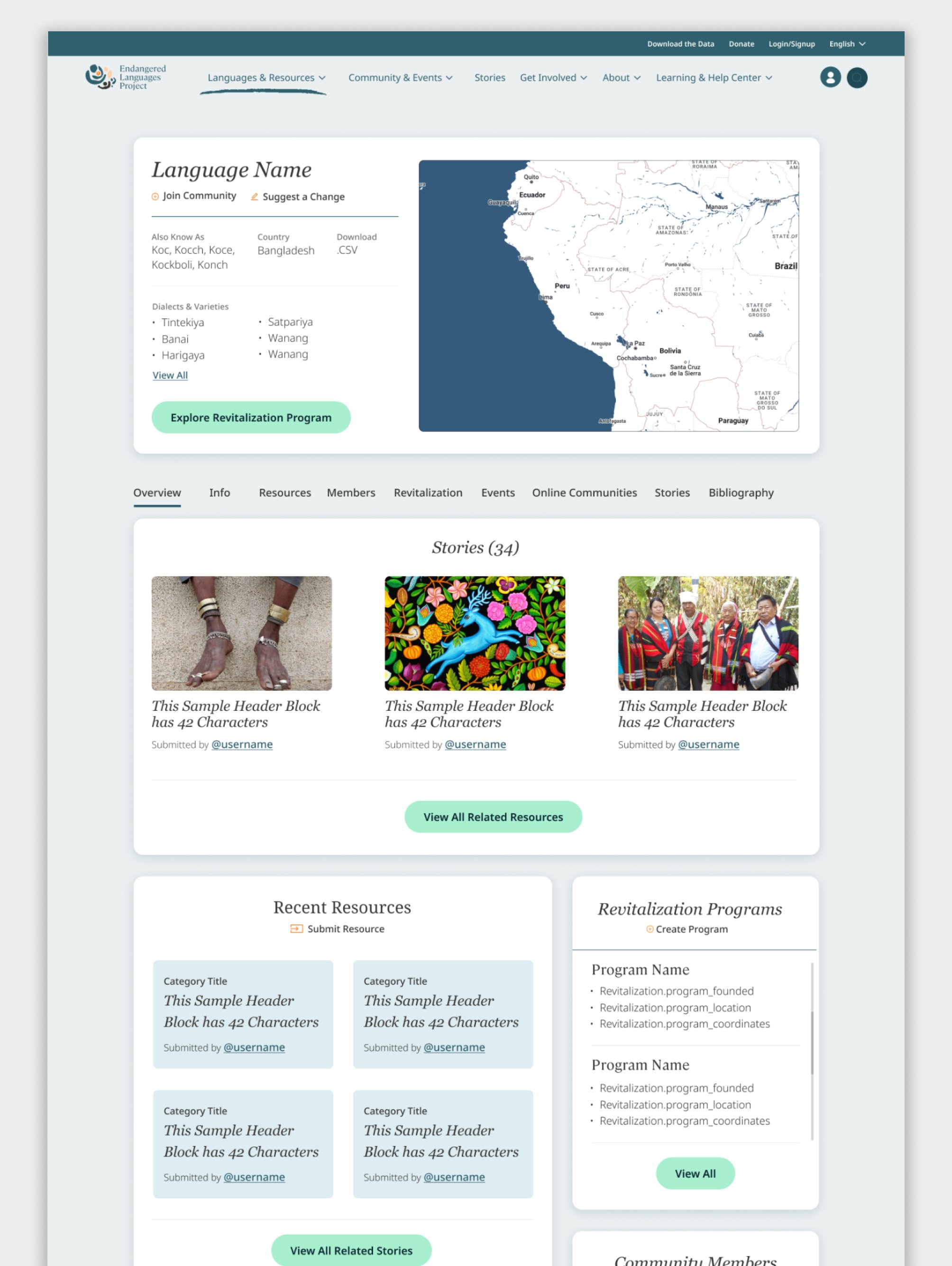
Language Profiles That Are a Hub
Language profile pages served as a hub for all material related to a language and helped users to connect with the people behind the work being done to preserve and save it. I worked with developers to modify OpenSocial to fit to ELP’s needs.
I identified what types of content and information ELP had and wanted to present on each language page.
I worked with them to identify what features were required for an MVP product.
I designed a structure that both tells a story about the language and has a clean and functional UI.
I worked with developers to modify the OpenSocial layout for our needs.
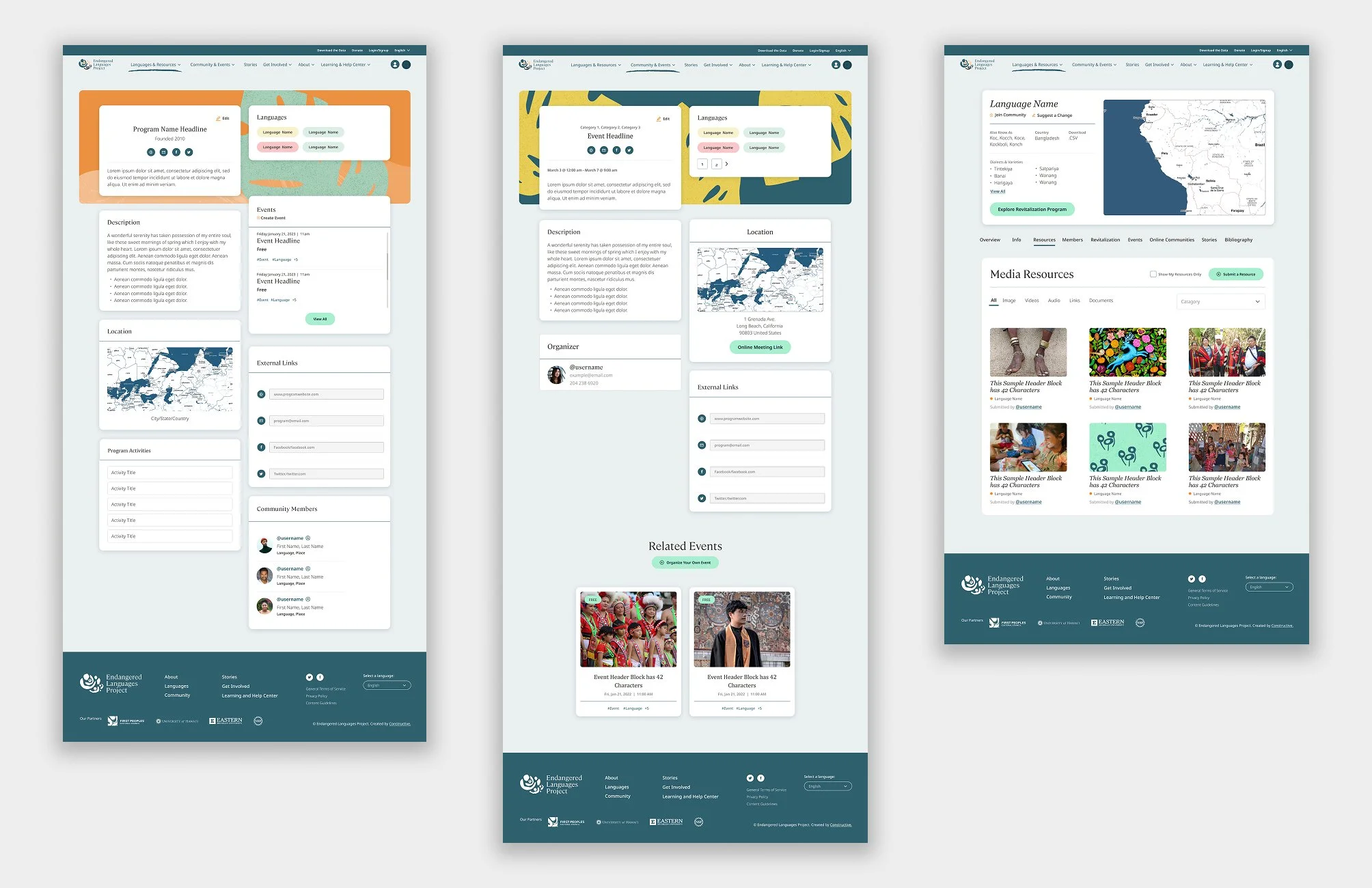
Creating a Component Library
Due to the repetitive nature of the content, I worked to create a component library that helped our team quickly build out new pages. The design system also created a visual language that users would become familiar with as they explored the site and allowed them to better understand how to navigate content on the site.
I created flexible design patterns that both sped up production and improved users’ familiarity with the site.
The component library worked well with the content blocks available on the OpenSocial platform and follow common UX patterns for similar social media platforms.
By using this component library, I was able to create an experience that felt more like a product and less like a website, which is what the client had hoped to achieve for a majority of the website.